
A Home Office That Feels Comfortable to Work In
** As an Amazon Associate we earn from qualifying purchases.
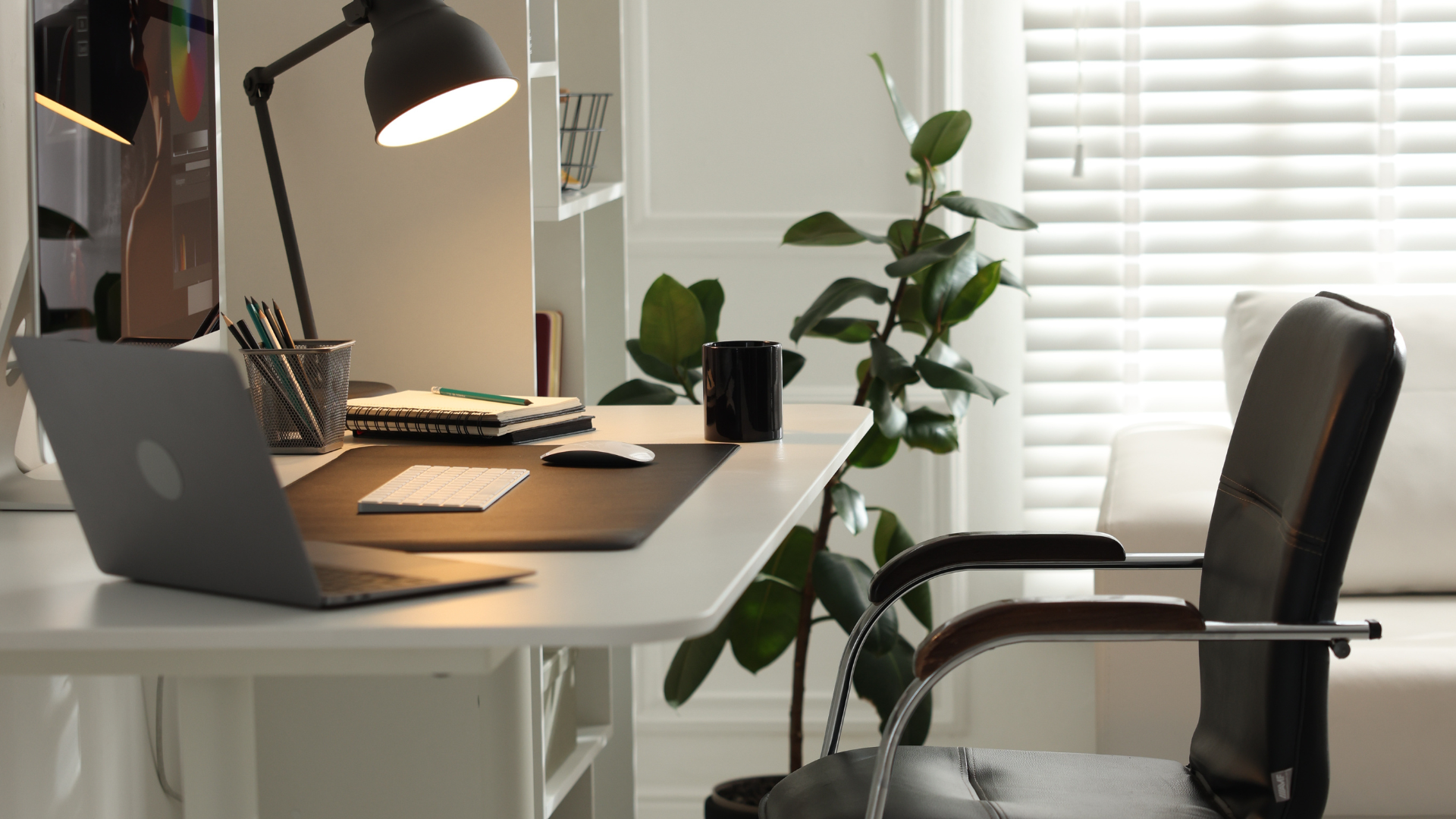
** A calm, well-equipped workspace makes long hours feel easier.
A home office can look perfectly put together and still become uncomfortable halfway through the day.
The chair looked fine when you bought it. The desk fits the room. There is a lamp in the corner. Yet by mid-afternoon you may be shifting around in your seat, adjusting the screen or wondering why your shoulders feel tense.
Before adding more storage, artwork or accessories, I would look at the three things you use for most of the working day: the chair, the desk and the lighting.
Getting those right can make a much bigger difference than making the room look finished.
Start With a Chair That Fits You
A soft chair is not necessarily a comfortable chair.
Thick cushioning can feel wonderful when you first sit down, but several hours later you may notice that the seat feels too deep, the armrests push your shoulders upwards or the backrest does not support you where you need it.
Adjustability is usually more useful than padding alone.
When comparing office chairs, look for a seat height that lets your feet rest comfortably, armrests that do not force your shoulders upwards and a backrest that feels supportive rather than simply soft.
Seat depth is also worth checking. If the seat is too deep, you may find yourself sitting forward instead of using the backrest. If it is too shallow, the chair may feel less supportive through the legs.
These are not glamorous features, but they are the ones you are more likely to notice after several hours at the desk.
Mesh or Cushioned?
This is mostly about preference and the room you work in.
Mesh allows more airflow, which can be useful in a warmer home office or if you tend to feel hot after sitting for long periods.
A padded chair feels softer and may be more comfortable for someone who prefers cushioning.
I would not choose between them based on material alone.
A supportive padded chair can be far better than a poorly designed mesh one, and the reverse is equally true.
If you cannot try the chair before buying, check what can actually be adjusted rather than relying on photographs or descriptions such as “ergonomic.”
Useful things to look for include:
seat height
lumbar support
adjustable armrests
seat depth, where available
backrest recline or tension
You may not need every possible adjustment. You simply need enough to make the chair fit you rather than forcing yourself to fit the chair.
Think of a Standing Desk as a Desk That Lets You Move
A standing desk does not mean spending the whole working day on your feet.
Its real advantage is being able to change position.
You might sit while writing or concentrating, raise the desk for a call, stand through part of a meeting and lower it again when you want to sit.
That flexibility is more useful than treating standing as the “correct” way to work.
When comparing desks, check the height range carefully. It needs to go low enough for comfortable seated work and high enough for you to use while standing without lifting your shoulders awkwardly.
If more than one person uses the desk, memory presets can save a lot of repeated adjusting. For one person, they are convenient but probably less important than a useful height range and a stable frame.
Check What Happens When the Desk Is Raised
A desk can feel solid while sitting and become noticeably less stable once it is higher.
That matters more when you have large monitors, monitor arms, speakers or other equipment on the surface.
Before choosing a desk, think about the workstation you actually have.
Will you use one laptop or two monitors?
Do you keep a notebook beside the keyboard?
Do you need space for a lamp, microphone or other equipment?
How deep does the desk need to be for the screen to sit at a comfortable distance?
A narrow desk may look beautifully minimal online and feel very different once everything you use each day is sitting on it.
Buy for your real working setup, not the photograph used to advertise the desk.
Plan for the Cables Too
This is an easy detail to forget with a height-adjustable desk.
Everything attached to the desk has to move when the desk moves.
Monitor cables, chargers, power leads, speakers, lamps and laptop docks all need enough room to travel safely as the desk rises and lowers.
A cable tray beneath the desk and a power strip attached to the moving part of the setup can help keep loose cables from stretching between the desk and the wall.
It is not an exciting feature.
It is simply one of those small things that can make the desk much easier to live with every day.
Good Lighting Is About Where the Light Falls
A home office can look bright during the day and become much less comfortable once the natural light begins to disappear.
More brightness is not always the answer.
A desk lamp should put light where you need it without shining directly into the screen or creating glare across the desk.
If you work with documents, notebooks or printed material, a task lamp can illuminate the work surface without making the entire room brighter.
If most of your day is spent looking at a monitor, positioning matters even more. A very bright lamp beside the screen can create an uncomfortable contrast rather than improving the workspace.
Sometimes the easiest fix is simply moving the lamp.
Adjustable Light Is Useful Through a Long Day
The light you want in the morning may not be what feels comfortable later in the evening.
That is where adjustable brightness becomes useful.
You can use stronger task lighting when working with documents or detailed work, then lower it as the day changes.
Many LED desk lamps also offer different colour temperatures. That flexibility can be pleasant, but I would not choose a lamp simply because it offers a long list of lighting modes.
A few useful settings are usually enough.
More important questions are:
Can you direct the light where you need it?
Can you adjust it easily?
Does the lamp create glare?
Does the base take up more desk space than you want to give it?
If your desk is small, a clamp lamp can free up useful surface space. A wider monitor lamp may suit a broader workstation. An adjustable arm can help when you move between screen work and paperwork.
The right shape depends on what is already sitting on the desk.
Look at the Workspace as a Whole
The chair, desk and lighting affect one another more than they first appear to.
Your chair height changes how your arms meet the desk. The desk height affects where the keyboard sits. The monitor position affects where you naturally look. Poor lighting can have you leaning closer to the screen without quite realising why.
So before replacing everything, adjust what you already own.
Move the chair.
Try a different desk height.
Shift the lamp.
Change the monitor position.
Sometimes the problem is not the product itself. It is the way the pieces have been set up together.
Spend Where You Spend Your Time
If you are working with a limited budget, look at where the hours actually go.
A new organiser may make the desk look neater. A rug may make the room feel finished. Plants, shelves and accessories can certainly make a workspace nicer to be in.
But if you sit in the chair for eight hours, that chair deserves more attention.
If the desk is in front of you all day, its height and size matter.
And if you regularly work after daylight fades, good lighting is not an afterthought.
A comfortable home office does not need to look like a showroom. It needs to make a normal working day feel easier to get through without the furniture constantly reminding you that something is wrong.